
Geometry Definition
In formats that support reading or controlling the writing of geometric (spatial) data, a Geometry Definition table is visible in the User Attributes tab of a feature type.
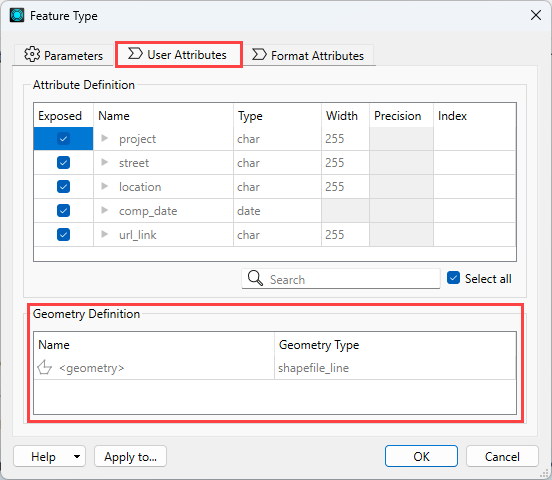
This table allows you to
- Identify when there is geometry data present, including the name of the geometry column (or multiple columns, if multiple geometries are present).
- Control whether or not geometry data is written and specify geometry type, depending on the format.
The information contained within the Geometry Definition table includes:
|
Column Name |
Visibility |
Description |
|---|---|---|
|
Name |
Always present |
The values displayed in this column correspond to what is displayed on the expanded workspace canvas object and in the Schema Preview window:
On writer feature types, you can set Name if Attribute Definition is Manual or Dynamic. |
|
Geometry Type |
Always present |
Displays the allowed geometry of the feature type for each geometry Name. If the format does not support a specific geometry, <all> displays. On writer feature types, you can set Geometry Type if Attribute Definition is Manual or Dynamic. To set Geometry Type to the geometry of the first feature that enters the reader, specify <from first feature>. On writers that support multiple geometry types, you can add (+) multiple types as required. |
|
Spatial Type |
Optionally shown |
If the format's schema feature has information for spatial type, this column displays. Where applicable, this value can be set on the writer feature type. |
Updating Feature Types
When FME detects an update to the feature type, the Feature Type dialog displays an information banner. You can update the dialog to refresh the table content.