Note: This parameter is used only when generating an initial workspace; therefore, it is not editable in Workbench after the workspace has been generated.
Multipatch
To preserve the original structure, the writer will write input 3D surfaces and solids as shape_multipatch.
Polygon
To break 3D surfaces into polygon components, the writer will write input 3D surfaces and solids as shape_polygonz.
Mixed-case attribute names are allowed by default. Selecting this parameter changes attribute names to uppercase text.
Note: This parameter is used only when generating an initial workspace; therefore, it is not editable in Workbench after the workspace has been generated.
This parameter is applicable only if you are working with foreign (non-English) character sets.
For example, if your source data contains foreign characters, using this parameter along with the encoding value ensures that the original data is preserved from the reader to the writer.
If the value is not set, the character encoding will be automatically detected from the source file. If the value is set, it will take precedence over the automatically detected character encoding.
FME supports most encodings.
Specifies whether or not to generate spatial index files when writing shapefiles. Writing spatial index files requires that ArcGIS be installed on the machine running the workspace.
If any attributes are flagged for indexing, spatial indexes are produced regardless of this setting. For more information, see User Attributes (Writing Attribute Indexes).
When selected, this option creates a single zipped .shz file that contains all the files that comprise a Shape dataset.
For example, coast.shz will contain coast.shp, coast.dbf, coast.shx, and optionally other shapefiles if applicable.
By default, this parameter specifies that the writer should write shapefiles that are compatible with other products by taking a stricter interpretation of the specification.
Note: This parameter is used only when generating an initial workspace; therefore, it is not editable in Workbench after the workspace has been generated.
This parameter specifies whether the writer should:
Note that ellipses are stroked into polygons with counterclockwise orientation and thus also may be affected by the option to not orient the rings properly as clockwise according to the specification.
Note also that because the vertex order is the only mechanism to distinguish between donut and aggregate geometry types when there are multiple polygon rings, the type may not be the same when read back if the input vertex order is preserved but does not match the input geometry type vertex order requirements.
The safest setting for this advanced option is to leave it at the default value of No.
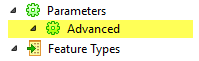
Some parameters are accessible only from the Workbench Navigator after you add a reader or writer to a workspace (that is, they are not visible in the reader or writer parameters dialog).
The usual hierarchy is shown below:
This advanced Navigator parameter controls how measures data associated with geometric data is treated. The default is set to No. If the value is Yes, measures data is treated as elevations.