
FME Form: 2025.2
Use the Sharing Options for Repository dialog to share permissions on the FME Flow repository to which you are uploading. To share, the user name you specified to connect to the FME Flow must have sharing permissions on the repository, either as its owner, or as a user with Manage Security permissions.
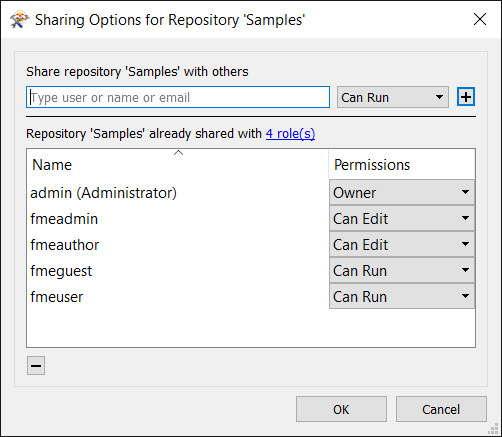
Specify a role on the FME Flow, and the type of access on the repository you want to give that role. Click the add button (+). Any FME Flow user who belongs to that role has the permissions you specify.
To see the roles that already have access on the repository, click the + button or the role(s) link. To change the type of permission for each role, use the corresponding drop-down selectors.
To remove a role from having any permissions on the repository, select it and click the remove button (-).
To save your changes, click OK.