This parameter specifies a refresh token for OAuth 2.0 authentication to a specific Google account.
If you already know the token, you can copy/paste it into this parameter. To obtain a new token, click the browse button. This will prompt for a Google account authentication page from Google.
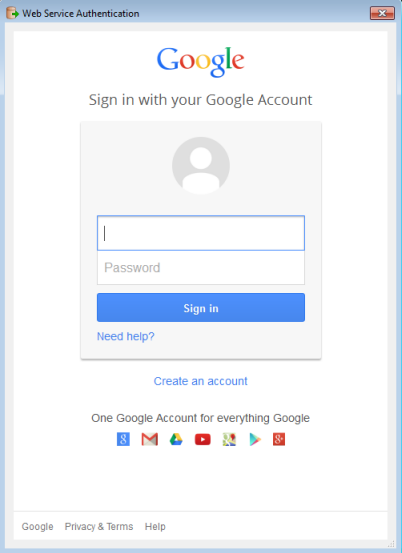
It is recommended that you save the defaults (from the Defaults button on the dialog) once the refresh token is retrieved so you will not have to re-authenticate in the future.
Note: Refresh tokens generated for the Google Sheets Reader have a partially read-only scope, and may not work with the Google Sheets Writer. Do not share the Refresh Token with others.
This parameter specifies the Spreadsheet to read. Two types of values are supported:
A single Spreadsheet must be specified. To read from multiple Spreadsheets, use multiple instances of the Google Sheets Reader.
Click the Browse button to view a list of Worksheets under the selected Spreadsheet.
This parameter is optional. If it is not specified, all of the Worksheets in the selected Spreadsheet will be added to the workspace.
These parameters are all optional. They influence the attributes produced on the schema, which determine which columns are requested from the server. Column indexes start at 1 or A.
This parameter influences schema generation.
If a row number is specified, the values in the specified row are interpreted as field names for the corresponding columns. These field names are used as attribute names in FME. Duplicate names are suffixed, leaving the name corresponding to the leftmost cell unsuffixed. Empty cells in the first row are not represented on the schema, and attributes from the corresponding columns will not be read.
If this parameter is not specified, then attribute names are alphabetical column labels (for example, A, B, C). The schema of feature types will have attributes spanning from Start Column to End Column. If End Column is not specified, then the attributes span to the last column of the worksheet.
Default: 1
The column from which to start creating user attributes. Optional. Not setting this parameter is equivalent to setting it to 1, or ‘A’.
The column at which to stop creating user attributes. Optional. User attributes on feature types will be created up to and including this column.
This parameter determines the behavior regarding blank cells. This behavior is configurable because the Google Sheets API makes no distinction between empty and null cell values.
This parameter determines approximately how many rows are retrieved in a single request. If not specified, a default value is used.
This parameter influences memory usage and progress logging, and does not need to be adjusted under most circumstances.