When you add a reader as a resource, you are inserting a reference to a dataset to be used in the workspace. This reader will not perform any actual data reading, except when up-to-date schema is required at runtime. When required, schema may be requested from that reader.
Currently, this option is only used by the writers that are configured to use Dynamic Parameters.
In the dynamic mode, a writer will extract schema information from one or more of the specified readers or reader resources to use during a translation. This feature is particularly useful when a writer needs to get the schema and features from several different datasets.
The difference between a Reader and a Reader Resource is that adding a Reader will also add all the associated feature types – a reader resource can be used as a source for schema without actually providing any feature types.
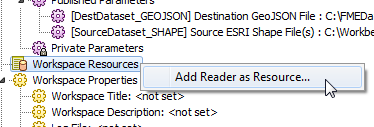
Select Readers > Add Reader as Resource or right-click Workspace Resources in the Navigator:
The process in Workbench is similar to adding a workspace Reader. You will need to select the dataset file (or group of files) that you want to add as a resource (FME can usually determine the format from the file extension, and will automatically populate the Format field). If required, specify any additional format parameters.
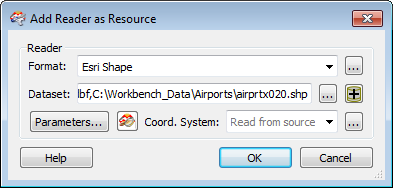
After you click OK, the log file will display the processing statistics associated with the selected dataset, and you will see a Translation SUCCEEDED message, indicating that Workbench has successfully processed the dataset.
You will see an additional Workspace Resources parameter in the Navigator window:
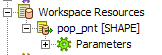
This Reader will remain in the list as a resource of the workspace.
When you want to use the Reader in a translation, open the Writer Feature Type Properties. Clicking Dynamic Parameters enables the Schema Sources and Schema Definition fields.
Click the Browse button beside the Schema Sources field to select from a list of existing schema readers. Only the readers that you have selected will be used at runtime.
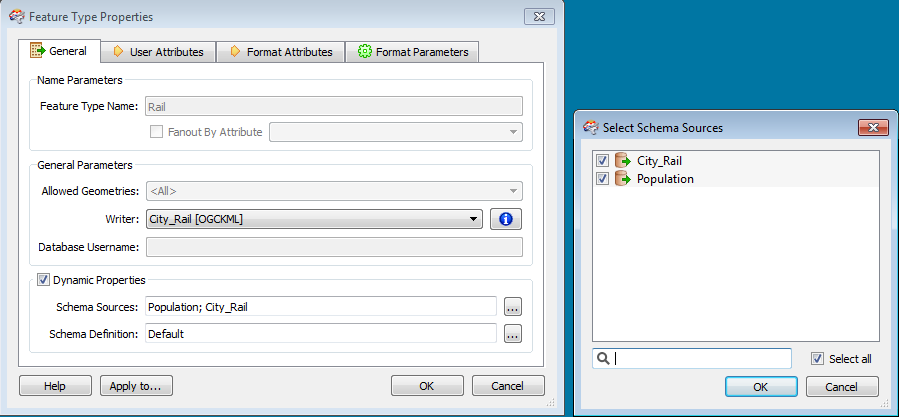
In most cases, you can use the default Dynamic Schema properties.
However, the dynamic writer can operate with a few variations on the schema definition. These are feature type fanouts, more complex schema reader definitions and defining the destination feature geometry.
To display dynamic schema parameters, click the Browse button beside the Schema Definition field in the Feature Type Properties dialog.
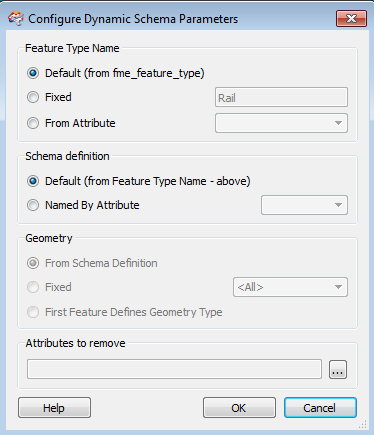
This controls the name of the destination feature type that is written. Default uses either the source schema or the schema reader feature type name. Fixed uses the name of the feature type in the workspace. From Attribute has the same effect as the dataset fanout with a new feature type for each value of the specified attribute.
If the feature types in the Schema Reader do not match the fme_feature_type, then you can set an attribute that defines the name of the schema reader feature type to be used for the schema definitions.
Some formats, e.g. Esri Shape, have a fixed geometry. This option defines where the definition for the geometry is derived from.
This option allows you to remove attributes from the feature. The unchecked attributes will be retained.