Routes a feature based on its geometry type.
Each feature that enters the transformer is output via the port corresponding to its fme type. Each output feature has a complete, unaltered copy of the source feature's attributes and geometry.
Each output port corresponds to standard fme_type attributes.
If Homogenize Collections is set to Yes, then any heterogeneous aggregate geometries will be split into homogeneous aggregates, where each aggregate consists only of parts having the same geometry type.
View results by routing a feature type through a GeometryFilter to an Inspector.
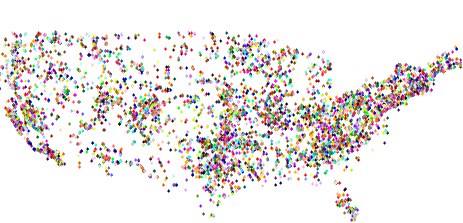
If you route a feature type that contains point geometry through the GeometryFilter POINT output port to an Inspector, you will see only the fme_point geometry:
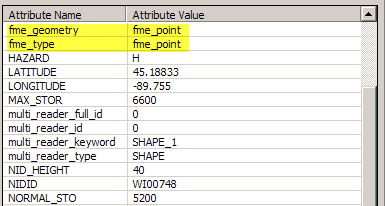
The Information pane in the Universal Viewer shows the fme_geometry and fme_type:
FME will sometimes automatically insert a GeometryFilter into a new workspace. Some destination formats only permit features of a specific geometry type to be written to a single feature type. For example, a Personal Geodatabase Feature Type (Esri Feature Class) can hold polygons or polylines, but not both.
When you read from a source dataset that permits multiple geometry types in a feature class, but write to a destination dataset that is restricted to a single geometry type per class, FME automatically creates a destination feature type for each geometry type and inserts a GeometryFilter to divide up the features on the basis of geometry. This ensures that no destination feature type receives features that it is not permitted to write.
Aggregate features are not handled specifically by this transformer, as several geometries may be structured as aggregates. To filter aggregates, use the AggregateFilter.
About Transformer Parameter Options
Search for samples and information about this transformer on FMEpedia.